People
One record per person, start to finish.
Every hire, promotion, review, and departure writes to the same employee record. No spreadsheet exports, no second HRIS to reconcile.

This week
What's included
What the People module covers
These are live modules in the product, not a roadmap. Each one is permission-scoped by role and, for consultancies, by client assignment.
Employee records
Personal details, employment history, compensation, documents, and emergency contacts on one profile with a full change log.
Org chart
Reporting lines generated from the records themselves, so it never drifts from reality. Drag to restructure and the manager relationships update.
Applicant Tracking System
Job requisitions, a public careers board per tenant, application intake, resume screening, and offer letters with e-signature.
Onboarding
Checklists by role and location, document collection from the new hire, equipment requests, and a first-90-days plan.
Performance & goals
Review cycles, 1:1 agendas and notes, goal trees rolling up from individual to company, and calibration views for managers.
Engagement
Pulse surveys, recognition, announcements, and people analytics — headcount, attrition, tenure, and diversity reporting.

The screens
People in the product
Screens from the working product, filled with sample data so you can see the shape of the thing before you talk to us.
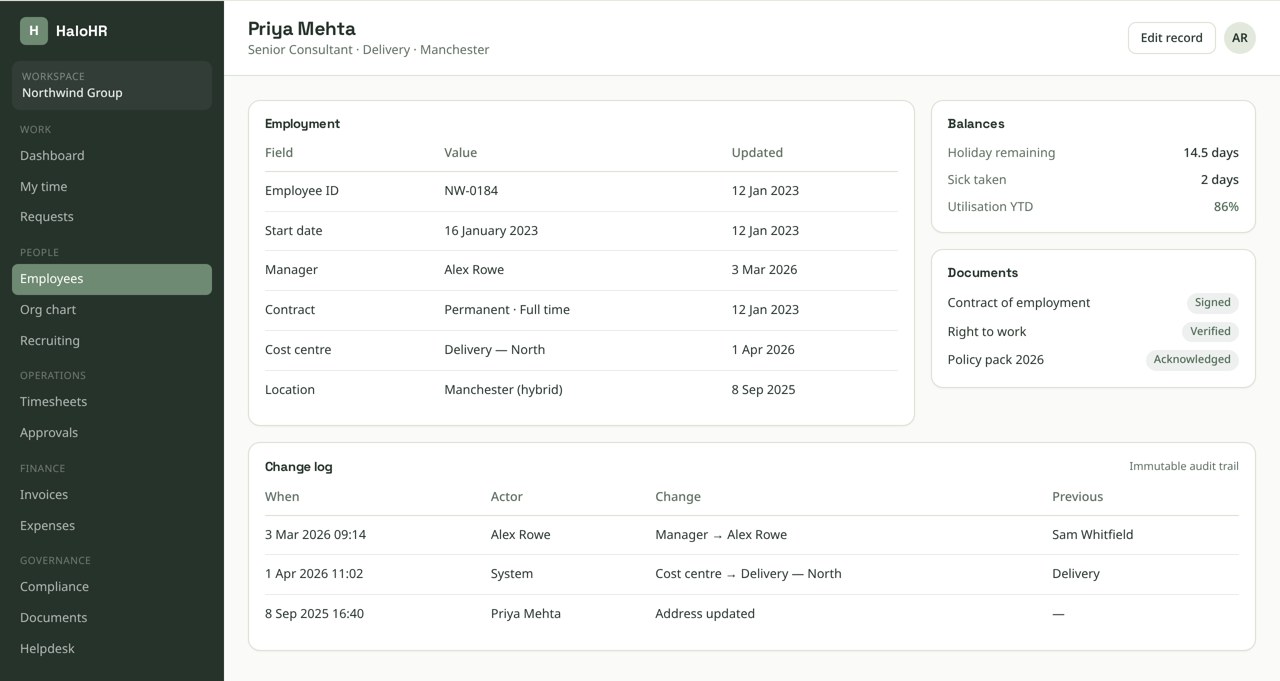
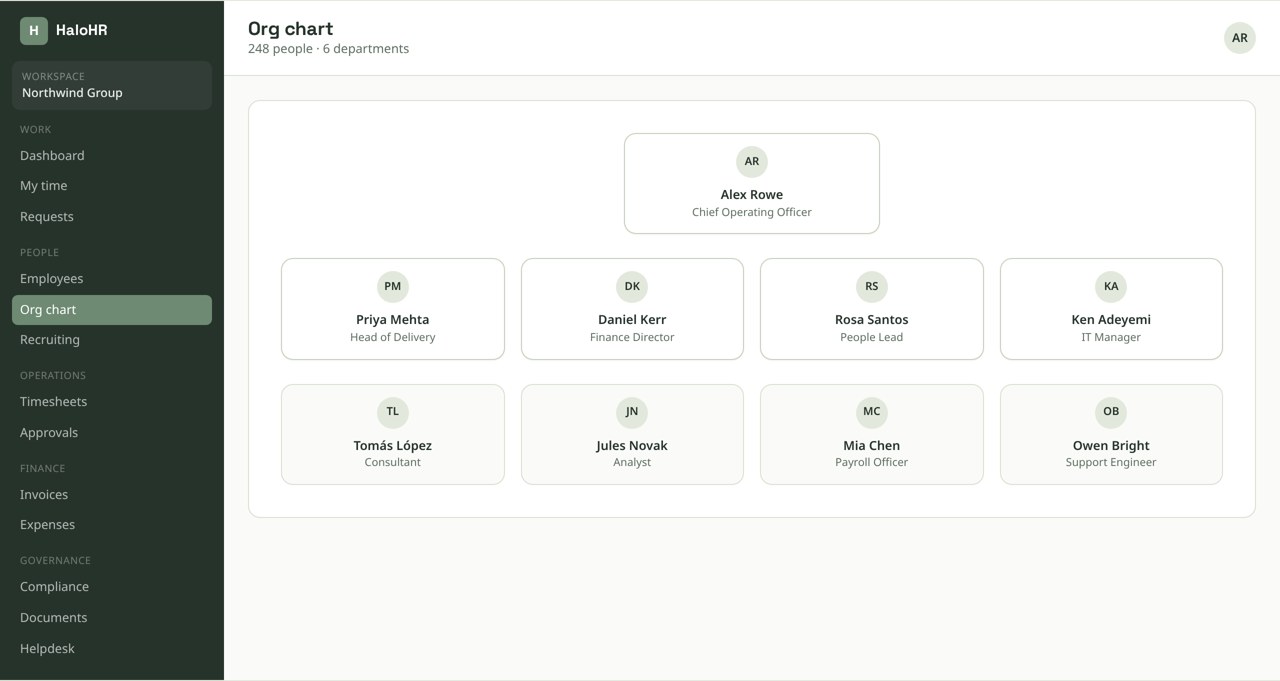
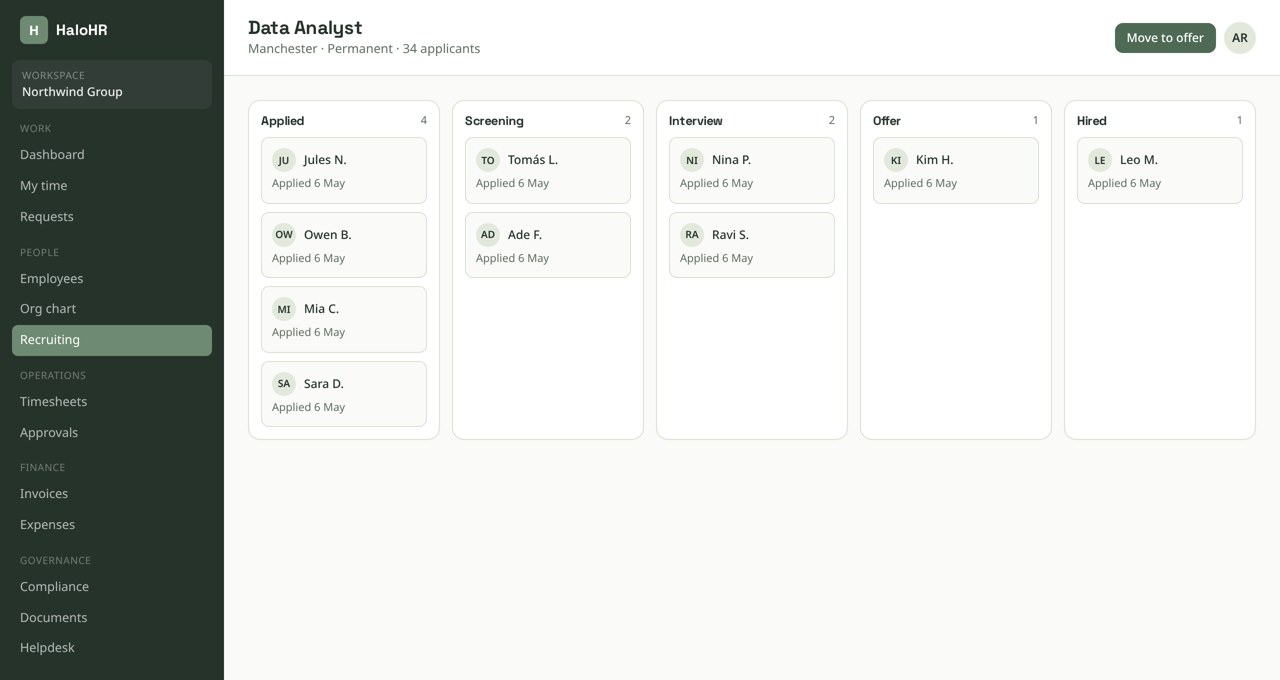
Screens shown with sample data from a demonstration workspace.
Pixi AI · People
Ask in plain language. Act on what comes back.
Reminders, escalations, and status changes fire from the same rules, so nothing sits in a queue because a person forgot to look.
It drafts and suggests; it never approves, hires, or pays anyone on its own.
How it runs
From applicant to onboarded employee
A single hire touches applicant tracking, documents, compliance, payroll, and IT. In HaloHR that is one chain of events, not five handoffs.
Candidate applies on your careers board
The public job board is hosted per tenant with your branding. Applications land in the pipeline with resume parsing and screening notes attached.
Offer is generated and signed
Offer letters pull compensation and start date from the requisition, then go out for e-signature. The signed copy files itself to the document register.
Record is created automatically
Accepting the offer converts the candidate into an employee record with the org placement, cost center, and manager already set.
Onboarding checklist fires
Tasks route to IT, finance, and the hiring manager. The new hire gets a portal to upload identity documents and complete policy acknowledgements.
Day one, everything is live
Time tracking, PTO balance, benefits enrolment, and compliance credentials are already attached to the person before they log in.
From our founder
“We stopped chasing spreadsheets and started actually talking to people again.”
Sean Morrison — Founder, HaloHR

Built in
Access control that survives an audit
People data is the most sensitive data you hold. Every read is filtered at the database level, not just hidden in the interface.
- Row-level security scopes every query to the tenant, and for consultancies to the specific clients a user is assigned to
- Managers see their own reporting line; HR admins see the workspace; nobody sees another tenant
- Compensation and documents are separately permissioned from the base profile
- Role changes and key record events are written to an append-only activity log with actor, entity, and timestamp
- Retention schedules purge records on the timetable your jurisdiction requires
Keep exploring
Connected to the rest of the platform
Every module writes to the same database, so a change in one place shows up everywhere else.