Workplace
Where the daily HR work actually happens.
Questions, requests, documents, and equipment. The unglamorous layer that eats an HR team's week, handled in one place with a record of every interaction.

This week
What's included
What the Workplace module covers
Employees get one front door. HR gets a queue, a template library, and an audit trail.
Helpdesk
HR tickets with categories, SLAs, assignment, and internal notes. Employees track their own requests without emailing for an update.
Knowledge base
Searchable articles for policies, benefits, and how-to guides. Deflects the repeat questions and grounds the AI assistant's answers.
Assets
Laptops, phones, and access badges assigned to people, with issue and return tied to onboarding and offboarding checklists.
Document studio
Templates with merge fields from employee records — contracts, letters, certificates — generated as PDF in a click.
E-signature
Send for signature, track status, and file the executed copy to the document register automatically. Guest signers need no account.
Announcements & surveys
Targeted announcements by team or location with read tracking, plus pulse surveys and engagement reporting.

The screens
Workplace in the product
Screens from the working product, filled with sample data so you can see the shape of the thing before you talk to us.
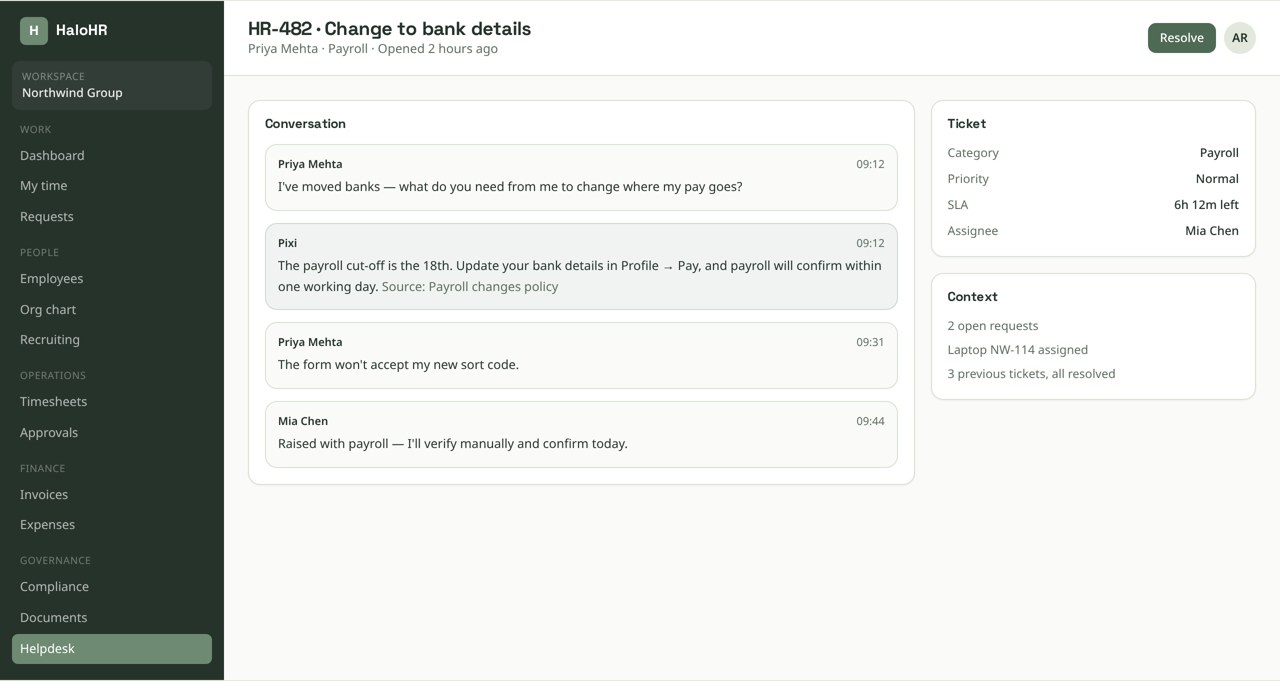
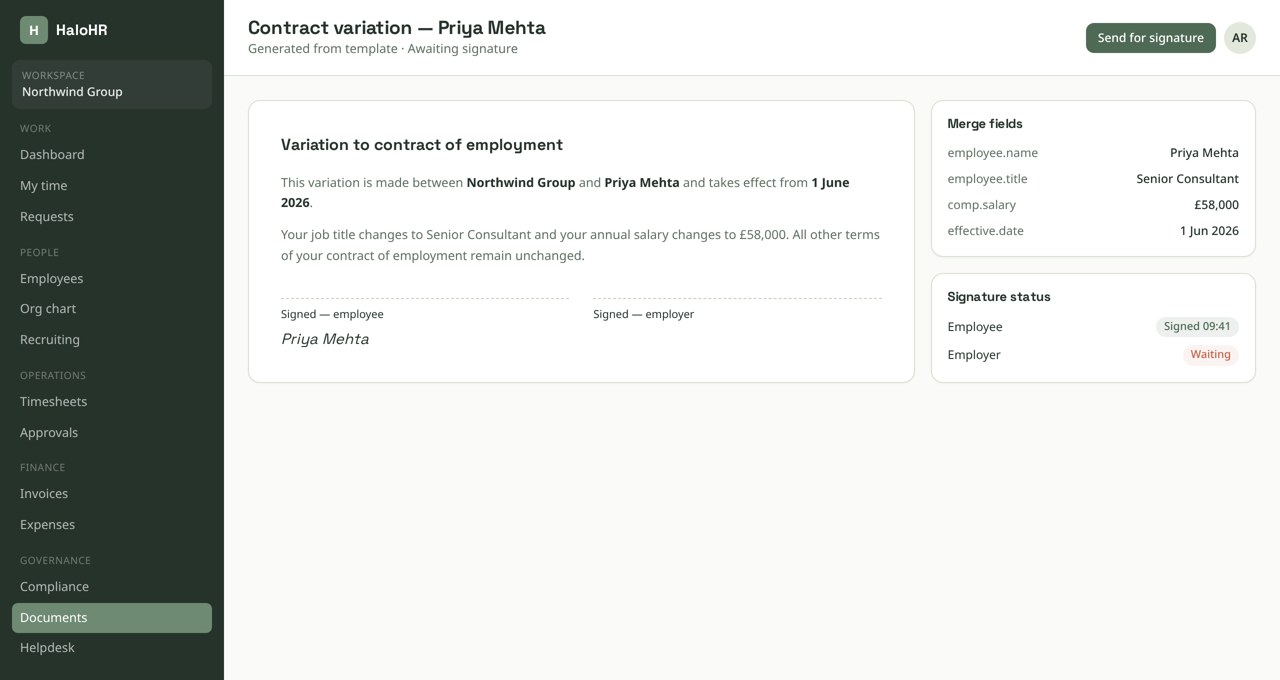
Screens shown with sample data from a demonstration workspace.
Pixi AI · Workplace
Ask in plain language. Act on what comes back.
Reminders, escalations, and status changes fire from the same rules, so nothing sits in a queue because a person forgot to look.
It drafts and suggests; it never approves, hires, or pays anyone on its own.
How it runs
A request from question to closed
Most workplace requests should not need a human at all, and the ones that do should not need three.
Employee asks in the portal
They type the question. The assistant answers from the knowledge base and policy library first, citing the source article.
It becomes a ticket if it needs one
Anything the knowledge base cannot answer opens a ticket with the conversation attached, routed by category to the right owner.
The owner acts with context
The ticket shows the person's record, open requests, assigned assets, and prior tickets on one screen.
Documents generate and sign in place
If the answer is a letter or a contract change, it is generated from a template and sent for signature without leaving the ticket.
The answer improves the knowledge base
Closing a ticket prompts to publish the resolution, so the next person gets it instantly.
From our founder
“We stopped chasing spreadsheets and started actually talking to people again.”
Sean Morrison — Founder, HaloHR

Built in
A record of everything, without extra work
Because requests run through the platform, the paper trail builds itself.
- Every ticket, document, and signature is linked to the employee record it concerns
- Executed documents file to the document register with retention rules already applied
- Guest signature links are token-scoped, single-purpose, and expire
- Announcement read receipts and policy acknowledgements are evidence-grade
- Asset assignment history shows who held what, and when it came back
Keep exploring
Connected to the rest of the platform
Every module writes to the same database, so a change in one place shows up everywhere else.